Account Opening
What is an “Individual Investor”?
An Individual Investor (also referred to as “User” in our Platform Rules)
is a person who invests in gold on the Bursa Gold Dinar platform in their
own name. The registration process will only require the individual's ID,
personal details such as full name, email address and mobile number, and
tax residency information.
What is a Bursa Gold Dinar account?
A Bursa Gold Dinar account is a free, non-trading account that provides
access to explore and familiarize with the platform. A non-trading account
holder can browse available features and interact with the functions in
demo mode before deciding to upgrade the account to full trading access.
What is a Bursa Gold Dinar trading account?
Bursa Gold Dinar trading account holders are those who have undergone
the required customer due diligence process and will have full access to
features provided on the Bursa Gold Dinar platform using their registered
Bursa Gold Dinar account. This account is currently available to investors
who meet the eligibility criteria, which includes only being Malaysian
tax residents.
Do I need an active email address to create a Bursa Gold Dinar account?
Yes. Upon registration, you will be sent a One-Time Password (OTP) to
your registered email address. Your active email address will be linked
to your unique Bursa Gold Dinar ID.
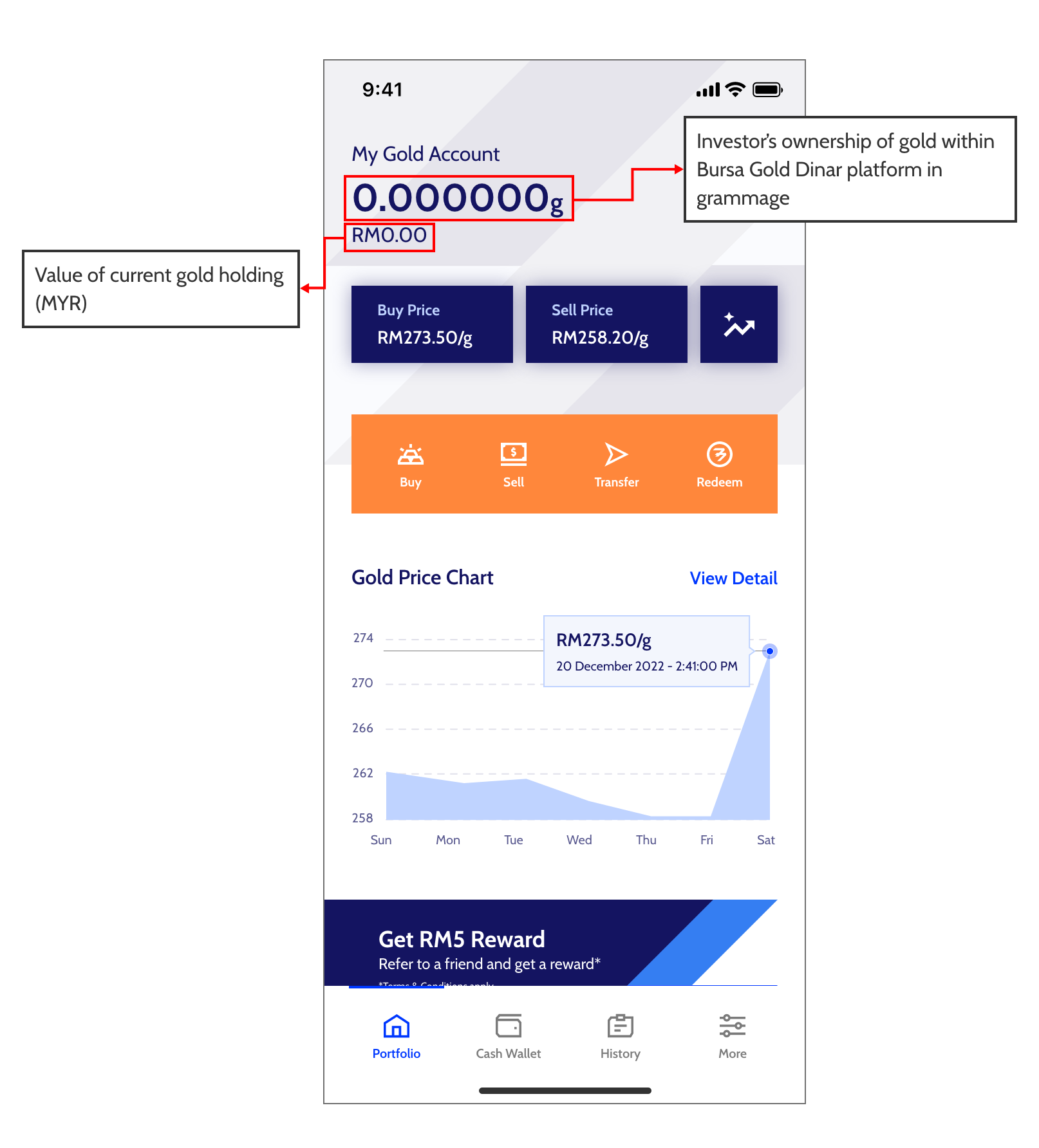
Who determines the live price of gold?
We work with our partner gold supplier to provide live prices based on
prevailing global gold market pricing.
When are the gold prices updated?
The gold prices are automatically updated throughout the day from 8.30
am to 11.50 pm.
What is login preference?
Login preference is the alternative login method to the Bursa Gold Dinar
account to reduce password entry.
The login preference differs depending on your login device:
-
Mobile App
: User’s (Investor) set up biometric (available if your phone has Touch
ID, fingerprint biometric, Face ID and other related biometric features)
What is the biometric features for?
It will be used for verification when investors log in into their Bursa
Gold Dinar account and it will also form part of the security process after
BursaSecure approval.
I did not receive the email OTP in my inbox, what should I do?
If you did not receive your email OTP after several minutes, please try
the following steps:
-
Double-check your email address: Make sure that you have entered your
email address correctly.
-
Check your spam/junk folder: Sometimes, the email OTP may end up in
your spam/junk folder. Please open your email via web browser and check
your spam/junk folder as there may be sync issues between the web and mobile
applications.
-
Please wait a little while: Sometimes, email delivery can be delayed
due to a variety of reasons. Wait for up to 10 minutes to see if the email
OTP arrives in your inbox.
-
If the issue persists, please write to us at
[email protected]
.
I have made a spelling error in my email address by mistake and cannot
receive the email OTP
Please re-register with the correct email address.
What can I do if I have forgotten my email?
Please contact the Bursa Gold Dinar Support at
[email protected]
for further assistance. Alternatively, you may call our Bursa Assist Centre
at 03-2732 0067.
What happens if my email address has been hacked and I want to change
my registered email?
Please contact the Bursa Gold Dinar Support at
[email protected]
for further assistance. Alternatively, you may call our Bursa Assist Centre
at 03-2732 0067.
When setting my password, I keep getting the error on unique or hard-to-guess
words and non-sequential numbers and am unable to proceed.
We are sorry you have encountered this issue.
It may be due to the special characters. Please try the following:
-
Fully delete the password in the password box
-
Do not use the special characters listed under NOT ALLOWED and replace
it with the special characters listed under ALLOWED.
Special characters (NOT ALLOWED)
’£
Special characters (ALLOWED)
<>+=[]!@#%^&*()-;:,?.×÷/_”
We appreciate your kind understanding while we work to continuously improve
our app.
What can I do if I have forgotten my password?
If you have forgotten your password, please follow these steps to renew
your password:
-
Click on the “Forgot Your Password” link provided on the login page.
-
Provide your registered email address.
-
Enter the OTP sent to your registered email within 2 minutes.
-
Enter the OTP sent to your registered phone number within 2 minutes.
-
Create your new password and proceed to the login page.
What can I do if I want to change my password?
If you decide to change your password, please follow the following steps:
-
Launch the Bursa Gold Dinar app
-
Click on “My Account” -> “Security” -> Tap on “Change Password”
-
Enter your current and new password
-
Tap “Approve” or “Reject” on BursaSecure authorisation within 1 minute
Can I reuse my old password to renew my password?
No, you will not be able to reuse your last 10 passwords. Please try a
different password.
Can I use someone else’s mobile number?
You must ensure that the mobile number you use is held in your possession
and able to function for the identity verification process (e.g. the One-Time
Password (OTP) details) by Bursa.
Please take note that, your account ID will be tag with your mobile devices
used for first time registration. You would need to install and reinstall
your Bursa Gold Dinar app to change your devices.
Can I use landline numbers?
No, as you will not be able to receive the One-Time Password (OTP) that
is required for verification purposes.
What should I do if I did not receive the One Time Password (OTP) number?
Please perform the following steps:
-
Request to resend the OTP number. Please wait for 2 minutes before requesting
the OTP again.
-
Check if you have entered the correct mobile number and that your phone
has network coverage.
-
Please check your message ‘spam’ folder. How to check: go to message >
choose menu button (3 dots or 'hamburger' menu or 3 lines) > message settings
> Block numbers or spam.
-
Ensure that the number sending the OTP (i.e. 63998) is not blocked.
-
If the issue persists, please write to us at
[email protected]
and provide the following details for further investigation:
-
Description of the issue
-
Phone number (only required if you have not provided it earlier)
-
Phone model
-
Date and time when the OTP was requested
-
Telco provider
What if my country code for my mobile phone number is not listed?
Unfortunately, we currently only accept Malaysian mobile phone numbers
and addresses.
Can I change my email address and phone number after I have sign-up?
Yes. You can change your email address via app setting. To change your
email address, please follow the following steps:
-
Open the Bursa Gold Dinar app
-
Click on “My Account” -> “Contact Information” -> “Email Address” -> tap
“Change Email Address
-
Enter the OTP sent to your current email within 2 minutes
-
Enter your new email address
-
Enter the OTP sent to your new email address within 2 minutes
-
Tap “Approve” or “Reject” on BursaSecure authorisation within 1 minute
-
Log in using your new email address and password
However, you are not able to change your phone number via the app settings.
To change your phone number, please contact the Bursa Gold Dinar Support
at
[email protected]
for further assistance. Alternatively, you may call our Bursa Assist Centre
at 03-2732 0067.
My postcode is not available
We are sorry you have encountered this issue. Please check your phone's
connection and restart your app. If the issue persists, please contact
Bursa Gold Dinar Support with the missing postcode. We will investigate
immediately to resolve the issue.
How do I close my account?
We are sorry to see you leave. You may close your account on the mobile
app.
Please perform the following steps:
-
Go to My Account.
-
Click on Account Closure.
-
Follow the instructions on the app.
-
Tick off the box at the bottom
-
Click proceed